


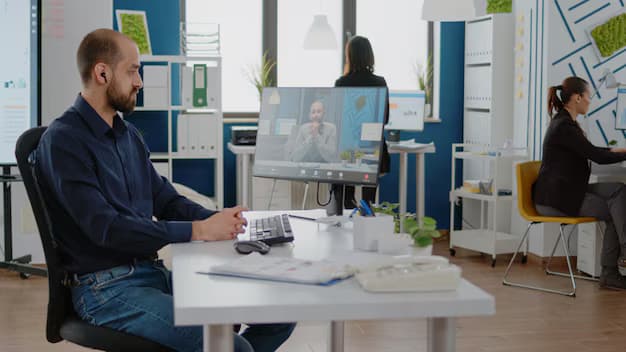
emote work has rapidly shifted from a temporary solution to a long term operational strategy for organizations across the world. This transition has highlighted the importance of technology that supports seamless collaboration, uninterrupted access to applications, and strong security from any location. A modern virtual desktop environment plays a central role in enabling these capabilities by bringing together flexibility, high performance, and centralized control. As businesses adapt to evolving workforce needs, the virtual desktop environment has become a foundation for remote productivity.
This article explores how modern virtual desktop solutions enhance efficiency, simplify administration, and improve the overall user experience for distributed teams. By understanding key features, practical benefits, and strategic value, organizations can make informed decisions when optimizing their remote work infrastructure.
Understanding the Purpose of a Virtual Desktop Environment
Centralized Workstation Delivery
A virtual desktop environment provides employees with secure access to desktops and applications hosted in a centralized location. Instead of relying on local installations, users work within a virtual interface that mirrors a traditional computing experience. This centralized approach simplifies software delivery and ensures consistent performance across devices.
Support for a Distributed Workforce
Remote work introduces unique challenges related to device management, network variability, and security. A virtual desktop environment eliminates many of these issues by providing a secure and controlled workspace that operates independently of the user’s physical device. This consistency helps maintain productivity even when employees work from various locations or on different equipment.
A Unified Framework for Applications
Modern businesses rely on diverse applications ranging from traditional desktop software to cloud services. A virtual desktop environment allows organizations to unify app access under a single platform. This reduces confusion, improves workflow continuity, and ensures compatibility without requiring constant manual updates.
Key Features of a Modern Virtual Desktop Environment
Consistent Performance Across Devices
A modern virtual desktop environment offers reliable performance regardless of whether users access it through laptops, tablets, or thin clients. Resource allocation and workload management within the system allow employees to run demanding applications without depending on local hardware power. This consistent performance supports productivity in different work scenarios.
High Level Security Framework
Security is a top priority for remote work technologies. A virtual desktop environment provides multiple layers of protection, including encryption, identity verification, access control policies, and centralized data management. Since data remains on the hosted platform instead of individual devices, the risk of breaches, unauthorized access, or data loss is significantly reduced.
Efficient IT Management Tools
Centralized tools allow administrators to manage updates, security settings, user policies, and applications from a single interface. These capabilities reduce complexity and help IT teams respond quickly to issues. Automated updates and simplified deployment processes allow organizations to maintain a stable environment with minimal manual effort.
Scalability for Growing Teams
A modern virtual desktop environment easily scales to accommodate new users or increased workloads. Organizations can add capacity without major restructuring or downtime. This flexibility is especially important for growing teams, temporary staffing requirements, or businesses with fluctuating workloads.
How a Virtual Desktop Environment Enhances Remote Productivity
Improved Accessibility for Remote Workers
One of the most significant benefits is the ability to access work resources from any location. Employees can securely log in to their virtual desktop environment through a standard internet connection, ensuring full access to their tools without delay. This ease of access encourages flexible work hours and supports employees who need mobility.
Reduction of Hardware Limitations
Local devices often vary in performance and capabilities. A virtual desktop environment removes these limitations by providing a consistent experience powered by centralized resources. This means even older devices can deliver high quality performance when connected to the environment. By eliminating hardware dependencies, organizations reduce frustration and maintain productivity across diverse user setups.
Faster Troubleshooting and Issue Resolution
Remote work can complicate the troubleshooting process because employees use different devices and network configurations. A virtual desktop environment simplifies support by centralizing most computing processes. IT teams can resolve issues within the environment rather than diagnosing each individual device. This increases efficiency for support teams and reduces downtime for employees.
Streamlined Application Updates
Ensuring that remote employees have the latest software versions can be challenging without a centralized system. A virtual desktop environment allows administrators to deploy updates in one place. Users automatically receive updated applications the next time they log in. This consistency prevents compatibility conflicts and keeps workflows uninterrupted.
Enhancing Remote Collaboration Through a Virtual Desktop Environment
Shared Access to Enterprise Tools
Remote collaboration requires easy access to shared applications, documents, and communication systems. A virtual desktop framework supports these collaborative needs by providing a uniform platform for teamwork. Employees can use the same productivity tools and resources without requiring complex local installations.
Improved Data Integrity
By storing files and application data centrally, a virtual desktop environment maintains version control, eliminates conflicting file edits, and ensures that teams always work with the latest information. This helps prevent errors and supports efficient collaboration across departments.
Seamless Integration with Communication Platforms
Modern virtual desktop environments support integration with messaging and conferencing tools. This allows employees to participate in virtual meetings, share screens, and collaborate in real time without compromising performance. Strong communication capabilities contribute directly to improved productivity.
Supporting Business Continuity with Virtual Desktops
Protection Against Local Device Failures
Device malfunctions can halt productivity if critical files or software are stored locally. A virtual desktop environment minimizes this risk because all data resides in a controlled infrastructure. If a device fails, the user simply switches to another one and resumes work without loss of progress.
Reliable Access During Network Issues
Even during network disruptions, virtual desktop environments can adjust connection settings to maintain a usable session. These adaptive features provide better resilience against unpredictable internet conditions. Business continuity is strengthened by ensuring that work can continue even when conditions are less than ideal.
Rapid Deployment During Unexpected Events
Organizations may face sudden situations that require extended remote access capabilities. A virtual desktop environment can be deployed quickly, enabling teams to transition smoothly to remote work without extended delays. This agility supports long term stability and protects operational continuity.
Why Organizations Adopt a Virtual Desktop Environment for Long Term Growth
Cost Efficiency Over Time
Centralized resource allocation allows companies to manage hardware investments more effectively. Instead of upgrading devices frequently, organizations can focus on maintaining a stable virtual platform. This approach often reduces long term technology costs and simplifies budget planning.
Future Ready Infrastructure
A virtual desktop environment positions organizations to adopt new technologies with ease. As cloud services expand and applications evolve, businesses with flexible virtual infrastructures can integrate changes with minimal disruption. This forward looking approach ensures continued competitiveness in a shifting market.
Support for Diverse Work Models
Whether companies employ on site teams, hybrid schedules, or fully remote structures, a virtual desktop environment adapts to each model without requiring separate tools or additional systems. Its flexibility allows organizations to support modern workforce expectations while maintaining operational consistency.
Conclusion
A modern virtual desktop environment plays an essential role in enhancing remote productivity by providing secure access, consistent performance, simplified management, and reliable collaboration tools. As organizations continue adapting to remote and hybrid work models, the value of a scalable and efficient virtual platform becomes even more significant. For businesses seeking dependable virtual desktop solutions, the offerings provided by Inuvika OVD Enterprise present a strong path forward.
Comments