




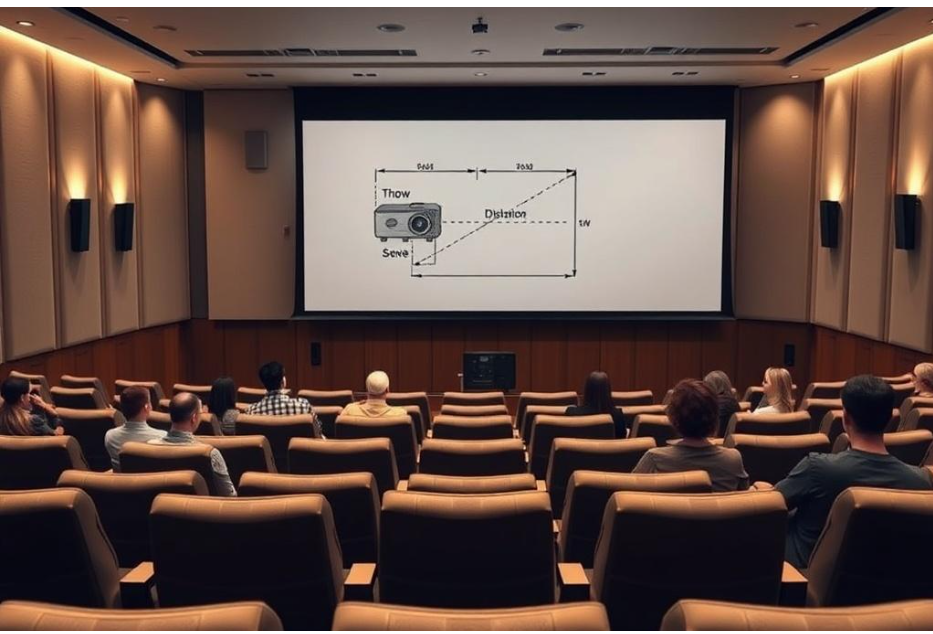
Selecting the right projector for a school auditorium is a crucial step in delivering clear, engaging presentations, school events, and performances. School auditoriums vary in size, lighting conditions, and usage requirements, making projector selection more complex than simply buying a high-lumen device. Choosing the correct projector ensures students and staff enjoy high-quality visuals without installation challenges or frequent maintenance issues. XTEN-AV and similar AV platforms provide guidance and tools for selecting the most suitable projectors for educational spaces.
Understanding School Auditorium Requirements
Before choosing a projector, it is important to understand the unique needs of a school auditorium:
- Audience Size: Projectors must be bright enough to deliver clear images to the farthest rows.
- Room Dimensions: The length, width, and ceiling height determine throw distance and projector positioning.
- Lighting Conditions: Some auditoriums have natural light sources that require higher brightness projectors.
- Content Types: The projector should support video, slides, live streams, and interactive media.
- Budget Constraints: Schools often have limited budgets, so cost-effective solutions are important.
Projector Brightness (Lumens)
Brightness is one of the most critical factors for school auditoriums:
- Small Auditoriums: 3000 to 4000 lumens is usually sufficient.
- Medium Auditoriums: 5000 to 7000 lumens ensures clarity for larger spaces.
- Large Auditoriums: 8000 lumens or more may be needed, especially if ambient lighting cannot be fully controlled.
- High brightness ensures images are visible from all seating areas, even in partially lit rooms.
Resolution Considerations
Resolution affects image clarity and the ability to display detailed content:
- XGA (1024x768): Suitable for text-heavy presentations but less ideal for high-definition video.
- WXGA (1280x800): Provides wider screens and better clarity for multimedia content.
- Full HD (1920x1080): Recommended for video presentations, performances, and detailed graphics.
- 4K Projectors: High-end option for very large auditoriums or multi-purpose spaces that host cinematic content.
Throw Distance and Lens Options
Throw distance determines how far the projector must be from the screen to achieve the desired image size:
- Short Throw Projectors: Useful in small auditoriums or when ceiling mounts are low.
- Standard Throw Projectors: Best for medium-sized auditoriums with standard mounting distances.
- Long Throw Projectors: Required for large auditoriums with high ceilings or deep seating areas.
- Lens Shift: Allows vertical or horizontal adjustments without moving the projector.
Screen Size and Aspect Ratio
Selecting the right screen complements the projector:
- Screen Size: Should fit the auditorium and be visible to all seating areas. Oversized screens can cause distortion, while small screens limit visibility.
- Aspect Ratio: 16:9 is suitable for video and presentations, while 4:3 may be adequate for traditional slideshows.
- Fixed vs Motorized Screens: Motorized screens allow flexible usage and can be retracted when not in use, preserving space.
Connectivity Options
Modern projectors offer multiple input options:
- HDMI and DisplayPort: High-definition video input for laptops, media players, and streaming devices.
- VGA: Legacy compatibility with older computers.
- Wireless Options: Facilitates content sharing without long cable runs.
- Network Connectivity: Allows remote management, monitoring, and firmware updates.
Portability vs Fixed Installation
- Portable Projectors: Useful for multi-purpose rooms or temporary events but may require frequent setup and calibration.
- Fixed Projectors: Ceiling or wall-mounted units provide stable, permanent setups with consistent alignment.
- Fixed installation is generally preferred for school auditoriums to reduce maintenance and ensure consistent image quality.
Installation Considerations
Proper installation affects projector performance:
- Ceiling Mounting: Keeps the projector out of the way and prevents accidental movement.
- Rear Projection: Optional for auditoriums where ceiling mounts are not feasible, though it requires more space behind the screen.
- Power and Signal Routing: Ensure cables are safely routed and hidden to prevent damage or interference.
Maintenance and Durability
School auditoriums experience frequent use, making durability and low maintenance essential:
- Lamp Life: Consider projectors with long lamp life or laser-based projectors to reduce replacements.
- Filter Cleaning: Easy-access filters prevent dust buildup and overheating.
- Noise Levels: Low fan noise ensures events are not disrupted.
Budget Considerations
Schools must balance performance and cost:
- Entry-level projectors may be adequate for small auditoriums with limited usage.
- Mid-range models provide higher brightness, Full HD resolution, and better longevity.
- High-end projectors are suitable for multi-purpose auditoriums hosting concerts, performances, or cinematic presentations.
- Long-term costs, including maintenance and lamp replacements, should be factored into the total investment.
Advanced Features for School Auditoriums
- Interactive Capabilities: Some projectors support touch and annotation features for educational content.
- Built-in Speakers: Useful for smaller auditoriums without dedicated sound systems.
- Edge Blending and Multi-Projector Setups: For very large screens, multiple projectors can create seamless images.
- Remote Control and Scheduling: Allows staff to manage projector settings efficiently.
Case Study Example
A medium-sized high school installed a 6000-lumen Full HD projector in its auditorium to support assemblies, performances, and video presentations. The projector was ceiling-mounted with lens shift to accommodate a large screen and varying seating arrangements. HDMI and wireless connectivity allowed teachers and performers to easily share content. Regular maintenance schedules ensured consistent brightness and image clarity throughout the school year. Using XTEN-AV tools, the AV team simulated projector placement, screen size, and throw distance before installation, ensuring a perfect fit for the auditorium.
Conclusion
Choosing the right projector for a school auditorium requires understanding the specific requirements of the space, audience, and content. Brightness, resolution, throw distance, screen size, and connectivity options all influence performance and usability. Fixed installation, regular maintenance, and consideration of long-term costs ensure the projector remains reliable and effective for years. XTEN-AV and similar AV platforms provide design tools and simulations that help AV professionals make informed decisions, ensuring school auditoriums deliver clear, engaging, and professional visual experiences for every event.
Comments