




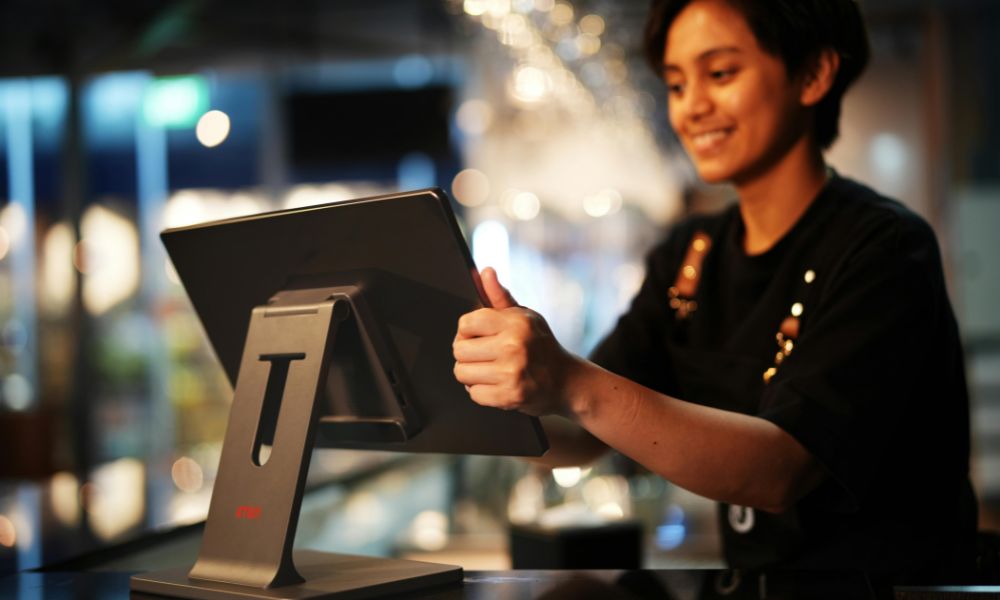
In today’s fast-paced world, businesses need ways to serve customers quickly and smoothly. Whether you run a café, a retail store, or a quick-service restaurant, having the right tools to handle transactions can make a big difference. One of the most important tools is a point-of-sale (POS) system. It helps manage sales, payments, and even inventory, while making sure customers have a pleasant experience. Among various POS solutions, kiosks have become popular because they allow customers to place orders or make purchases on their own, reducing wait times and improving efficiency.
Choosing the right kiosk is not just about buying a machine; it’s about finding one that fits your business’s specific needs. A wrong choice can slow down operations, frustrate customers, or even increase costs. Different businesses have different needs, and understanding those needs will help you make a smart choice. From the type of transactions you handle to the number of customers you serve daily, each factor plays a role in selecting the best kiosk for your setup.
Understanding Your Business Needs
The first step in choosing a kiosk is to clearly understand your business and what it needs. A fast-casual restaurant may need a kiosk that allows customers to order and pay on their own, freeing staff to focus on food preparation. A retail shop, on the other hand, may need a kiosk that helps manage inventory, track customer loyalty, and handle returns quickly. Knowing the main goals for your kiosk—whether it’s speeding up service, improving accuracy, or increasing sales—will guide you in picking the right model.
Consider how customers interact with your business. Do they usually spend time browsing products, or do they prefer a fast checkout? Are your staff busy taking orders or helping customers with questions? The answers to these questions can determine which features are most important for your kiosk.
Different Kiosk Models and Their Uses
There are several types of kiosks available, each designed for specific business needs. Some models are larger with dual screens for both employees and customers, while others are compact and mobile for smaller spaces.
For businesses with high transaction volume, like full-service restaurants or busy retail stores, a larger station-style kiosk may work best. These kiosks allow employees to manage orders on one screen while customers interact with the other. For smaller businesses, mobile or countertop kiosks are more practical. They take up less space and can even be moved if needed, making them ideal for food trucks, small cafés, or boutique shops.
Self-service kiosks are especially useful for businesses that want to let customers place orders or make purchases independently. These kiosks can speed up service during busy hours and improve customer satisfaction by giving them more control over their orders. For more details on self-service options, you can explore the clover kiosk to see which model fits different business setups.
Considering Layout and Customer Flow
Where and how you place your kiosk is just as important as the type you choose. In a busy café or fast-food restaurant, multiple kiosks near the entrance can prevent long lines at the counter. In a smaller retail store, one well-placed kiosk may be enough.
Think about peak hours and how customers move around your space. A kiosk that slows traffic or creates bottlenecks can cause frustration, even if it has excellent features. The goal is to make the experience smooth for both customers and staff, which also helps improve sales and efficiency.
Integration with Business Systems
A good kiosk should work well with the systems your business already uses. Many businesses rely on software for inventory management, customer loyalty programs, and accounting. A kiosk that integrates with these systems can save time and reduce errors.
For example, a café may want a kiosk that connects to a loyalty app so customers can earn points or redeem rewards automatically. Retail stores may benefit from kiosks that update inventory in real-time or provide sales reports instantly. Checking the compatibility of the kiosk with your existing systems ensures that it helps your operations rather than complicating them.
Payment Options
Payment flexibility is a key factor when choosing a kiosk. Different businesses and customers prefer different ways to pay, including credit or debit cards, mobile wallets, or contactless payments.
If your business has many quick transactions, like a coffee shop or small retail store, a kiosk that allows fast tap-and-go payments can speed up service. Restaurants may want kiosks that let customers split bills or add tips easily. Understanding how your customers prefer to pay will help you choose a kiosk that meets their needs and keeps lines moving efficiently.
Enhancing Customer Experience
A kiosk is more than a payment tool—it’s a part of the customer experience. In restaurants, it can make ordering easier by showing pictures of menu items or allowing customization. In retail, kiosks can recommend products based on past purchases or loyalty programs.
When choosing a kiosk, pay attention to the screen size, interface, and responsiveness. A slow or confusing kiosk can frustrate customers, while a smooth, intuitive system can increase satisfaction and encourage repeat visits. A well-designed kiosk also reflects positively on your brand and shows that your business values convenience and technology.
Durability and Maintenance
Think about how your kiosk will handle daily use. High-traffic businesses need durable machines that can handle spills, dust, and constant interaction. Some kiosks are designed to be more robust, while others are better suited for lighter use.
It’s also important to consider support and maintenance. Check if the kiosk comes with warranty coverage, technical support, and regular software updates. This can prevent downtime and keep your operations running smoothly without unexpected interruptions.
Budget and Long-Term Value
Finally, cost is an important factor. Beyond the initial purchase price, consider subscription fees, payment processing costs, and optional apps. While advanced kiosks offer more features, they may not always be necessary for smaller businesses.
Balance your immediate needs with potential growth. A simpler, affordable kiosk may work now but could require upgrading as your business grows. Conversely, investing in a more capable model from the start can save money and time in the long run. Choosing a kiosk with both good functionality and long-term value ensures a smarter investment for your business.
Conclusion
Choosing the right kiosk for your business involves understanding your needs, evaluating different models, and considering customer flow, payment preferences, and integration with existing systems. A well-chosen kiosk not only speeds up transactions but also improves the overall customer experience and helps your business operate more efficiently.
By thinking carefully about your space, customer habits, and the features that matter most, you can find a kiosk that fits your business today and grows with you tomorrow. Investing in the right kiosk is not just a technology upgrade—it is a strategic choice that can make a real difference in how your business operates and how customers perceive your brand.
Comments